Skip to content
Algoryq Learn

Security

Isolation you can inspect.

Not “enterprise-grade”. For every control in this LMS: the mechanism, the file it lives in, and the list of what we have not built.
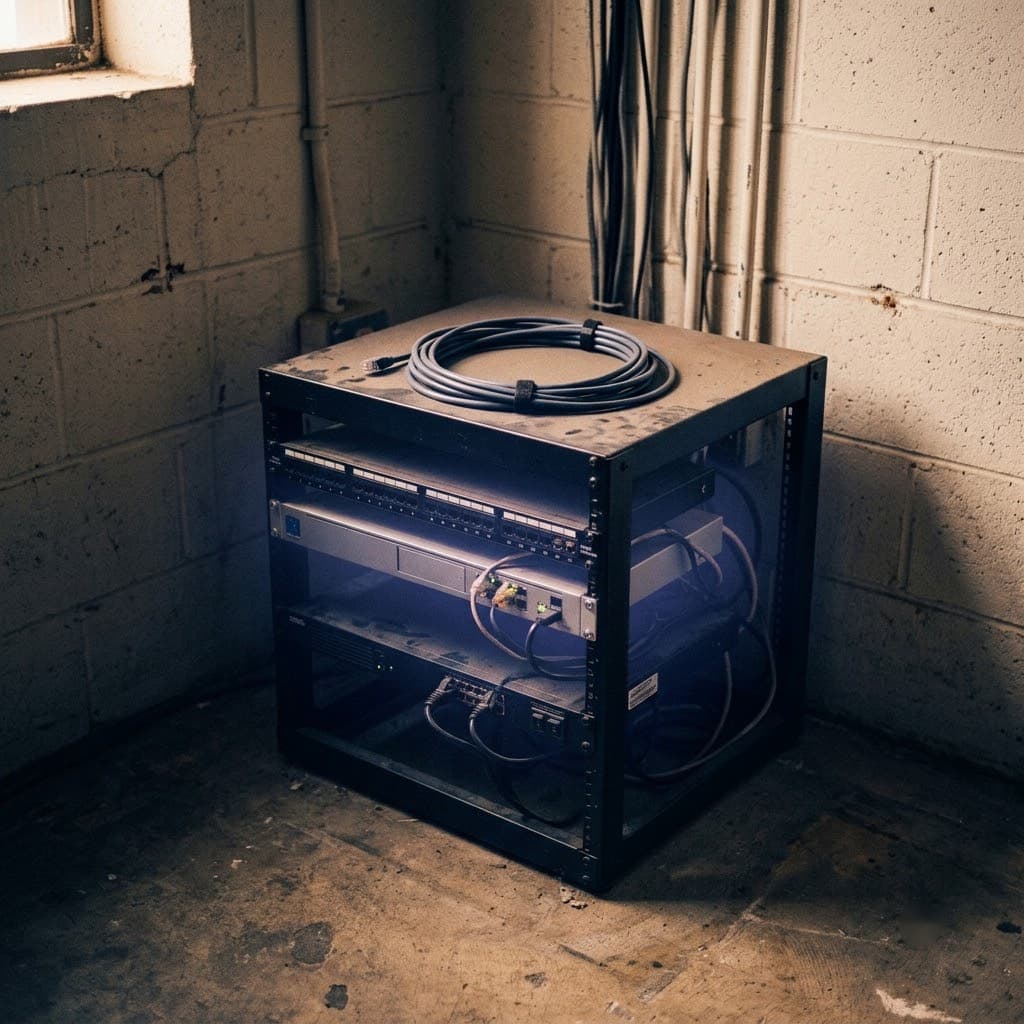
A server rack in a utility room, its network cabling visible through the open frame.

The ten-row summary

For the reviewer with a checklist. Everything below expands a row.

Security controls, how each is implemented, and where it lives
ControlHowWhere
Tenant isolationPostgreSQL row-level security, ENABLE and FORCE, on 114 tablesapps/api/prisma/rls.ts
Database privilegeThe application role is not the owner, not a superuser, holds no BYPASSRLSapps/api/prisma/rls.ts
AuthorizationDeny by default: 272 permission keys, 264 enforced on a route, coverage checked in CIpackages/authz, pnpm authz:check
AuthenticationArgon2id with lockout, 15-minute access tokens, rotating refresh with family revocationapps/api/src/modules/auth
Multi-factorTOTP with recovery codes; device list and revokeapps/api/src/modules/auth
Token handlinghttpOnly session cookie; the JWT is attached server-side and never reaches client JavaScriptapps/web BFF
AuditEvery mutation, with a field-level diff, hash-chained to the entry before itapps/api/src/modules/audit
Data subject requestsExport and erasure; erasure tombstones rather than rewriting the chainapps/api/src/modules/audit
SecretsThe production environment schema throws on defaults and placeholdersapps/api/src/config
AccessibilityWCAG 2.2 AA, automated checks failing the build at 360px among other widthsStorybook + Playwright

Tenant isolation is a database policy

Every tenant-owned table carries a tenant_id and a tenant_isolation policy applied with both ENABLE and FORCE. Without FORCE, the table owner bypasses every policy — the most common way row-level security is deployed and does nothing.

FORCE is not enough alone: a superuser, or any role with BYPASSRLS, ignores policies unconditionally. The application connects as none of those, the owner role is reserved for migrations on a separate connection string, and the check verifies the runtime role too.

The policy set is derived from the database cataloguerather than hand-written per table, so every table with a tenant_idcolumn is covered automatically and a gap fails CI. A policy that must be remembered on each new table is eventually forgotten, invisibly, until it leaks.

114 tables are covered. Thirteen are exempt, and the list is published rather than denied.

The thirteen exemptions

Two groups, two reasons.

  • No tenant id at all — users, credentials, identities, permissions, tenants. A user is a global principal who may belong to several institutes; the membership is what is scoped, and it sits in the second group.
  • The identity plane — sessions, permission versions, memberships, invitations, tenant domains. These carry a tenant id but are read in order to determine the tenant, before any binding exists. Refreshing a token means looking a session up by id to discover its institute, which a policy requiring the institute first makes unresolvable. Every access is keyed by an unguessable id.

Authorization is deny-by-default, and the build enforces it

Every controller route ships with a permission key or an explicit @Public(). A lint rule and a coverage check fail the build otherwise, so “we forgot the guard” is not a bug that can reach production.

272 keys, 264 enforced on a route. The remaining eight belong to surfaces designed but not yet built. We publish that number too: unenforced keys are the normal state of a growing catalogue, and hiding it would be the suspicious choice.

Hiding a button somebody cannot use is a courtesy, not a boundary. It is never the only check.

The whole catalogue

Every act the software can perform, with the description an administrator sees when building a role.

272 of 272 keys

  • identity.user.viewSee user accounts and their profile details
  • identity.user.createCreate user accounts directly
  • identity.user.updateEdit user accounts
  • identity.user.deleteDeactivate or delete user accounts
  • identity.user.importBulk import users from CSV or Excel
  • identity.user.exportExport user lists
  • identity.user.impersonateSign in as another user for support
  • identity.invitation.viewSee pending invitations
  • identity.invitation.createInvite people to this institute
  • identity.invitation.deleteRevoke an invitation
  • identity.session.viewSee active sessions for a user
  • identity.session.deleteSign another user out of their devices
  • identity.sso.manageConfigure single sign-on for this institute
  • identity.guardian.viewSee who is recorded as a learner’s parent or guardian
  • identity.guardian.manageLink or unlink a parent or guardian from a learner
  • tenant.tenant.viewSee institute settings
  • tenant.tenant.createCreate a new institute on the platform
  • tenant.tenant.updateChange institute details
  • tenant.tenant.manageSuspend, resume or archive an institute
  • tenant.branding.viewSee branding settings
  • tenant.branding.updateChange logo, colours and email branding
  • tenant.domain.manageAdd and verify custom domains
  • tenant.settings.viewSee locale, timezone, currency and academic year
  • tenant.settings.updateChange locale, timezone, currency and academic year
  • tenant.usage.viewSee seat, storage and AI usage against the plan
  • tenant.branch.viewSee branches
  • tenant.branch.createCreate a branch
  • tenant.branch.updateEdit a branch
  • tenant.branch.deleteRemove a branch
  • authz.permission.viewSee the permission catalog
  • authz.role.viewSee roles and what they grant
  • authz.role.createCreate or clone a role
  • authz.role.updateChange what a role can do
  • authz.role.deleteDelete a role
  • authz.assignment.viewSee who holds which roles
  • authz.assignment.createAssign a role to a user
  • authz.assignment.deleteRemove a role from a user
  • authz.override.viewSee per-user permission overrides
  • authz.override.createGrant or deny a permission for one user
  • authz.override.deleteRemove a per-user override
  • authz.review.viewReview effective permissions for any user
  • authz.delegation.createDelegate permissions while someone is away
  • authz.request.approveApprove or reject access requests
  • audit.log.viewSee the audit trail
  • audit.log.exportExport audit records
  • audit.log.restoreRestore a record from an audit diff
  • audit.compliance.viewSee retention policies and data requests
  • audit.compliance.manageManage retention, legal holds and erasure requests
  • course.catalog.viewBrowse the published course catalog
  • course.category.viewSee course categories
  • course.category.createCreate a course category
  • course.category.updateEdit or reorder course categories
  • course.category.deleteRemove a course category
  • course.course.viewSee courses, including drafts
  • course.course.createCreate a course
  • course.course.updateEdit course content and settings
  • course.course.deleteDelete a course
  • course.course.submitSubmit a course for academic review
  • course.course.approveApprove or reject a course under review
  • course.course.publishPublish or unpublish a course
  • course.course.archiveArchive a course
  • course.module.createAdd modules to a course
  • course.module.updateEdit or reorder modules
  • course.module.deleteRemove modules
  • course.unit.createAdd units
  • course.unit.updateEdit or reorder units
  • course.unit.deleteRemove units
  • course.lesson.createAdd lessons
  • course.lesson.updateEdit lessons, release and completion rules
  • course.lesson.deleteRemove lessons
  • content.media.viewSee uploaded media and its processing status
  • content.media.uploadUpload video, audio and documents
  • content.media.updateReplace media or retry processing
  • content.media.deleteDelete media
  • content.media.playPlay protected media
  • content.caption.updateEdit captions and transcripts
  • content.chapter.updateEdit video chapters
  • learn.enrollment.viewSee who is enrolled in a course
  • learn.enrollment.createEnrol a learner in a course
  • learn.enrollment.deleteRemove a learner from a course
  • learn.enrollment.selfJoin a course yourself using an invite code
  • learn.invite.viewSee a course’s invite codes
  • learn.invite.createCreate an invite code for self-enrolment
  • learn.invite.deleteRevoke an invite code
  • learn.batch.viewSee a course’s batches (sections) and their members
  • learn.batch.createCreate a batch (section) in a course
  • learn.batch.updateRename, archive or resize a batch
  • learn.batch.deleteDelete a batch
  • learn.batch.assignAdd or remove learners from a batch
  • learn.course.accessOpen an enrolled course
  • learn.lesson.accessOpen a lesson
  • learn.progress.writeRecord own learning progress
  • learn.progress.viewSee learner progress
  • learn.note.viewRead own notes
  • learn.note.createTake personal notes
  • learn.note.updateEdit own notes
  • learn.note.deleteDelete own notes
  • learn.qa.viewRead the questions and answers on a lesson
  • learn.qa.askAsk a question on a lesson
  • learn.qa.answerAnswer a question on a lesson
  • learn.qa.moderateResolve or remove any question or answer
  • assess.question.viewSee question banks and their questions, including the answer key
  • assess.question.createCreate question banks and questions
  • assess.question.updateEdit question banks and questions
  • assess.question.deleteDelete question banks and questions
  • assess.assessment.viewSee assessments (papers) and how they are built
  • assess.assessment.createCreate an assessment
  • assess.assessment.updateEdit an assessment, its sections, questions and targeting
  • assess.assessment.deleteDelete an assessment
  • assess.assessment.publishPublish or close an assessment
  • assess.attempt.createStart an attempt at an assessment set for you
  • assess.attempt.ownSee and work on your own attempts
  • assess.attempt.viewSee learners’ attempts at an assessment
  • assess.attempt.evaluateMark the answers a machine cannot mark
  • assess.result.viewSee assessment results
  • assess.result.releaseRelease results to learners
  • assess.result.regradeRe-mark a question across every sitting of a paper
  • assign.assignment.viewSee assignments, including drafts
  • assign.assignment.createCreate an assignment
  • assign.assignment.updateEdit an assignment
  • assign.assignment.deleteDelete an assignment
  • assign.assignment.publishPublish or close an assignment
  • assign.submission.createHand in your own work
  • assign.submission.viewSee submissions
  • assign.submission.gradeMark a submission and return it
  • live.session.viewSee scheduled live classes
  • live.session.createSchedule a live class
  • live.session.updateReschedule or cancel a live class
  • live.session.deleteDelete a live class
  • live.session.joinJoin a live class you are enrolled for
  • live.attendance.viewSee who attended a class
  • live.attendance.updateMark attendance
  • live.attendance.manageSet a course’s minimum-attendance rule
  • live.regularization.requestAsk for a class’s attendance mark to be corrected
  • live.regularization.decideApprove or reject an attendance correction
  • grade.grade.viewSee the gradebook for a course
  • grade.grade.updateOverride a mark in the gradebook
  • grade.grade.manageDefine the institute’s letter and GPA scales
  • grade.grade.ownSee your own grades
  • cert.template.viewSee certificate templates
  • cert.template.manageCreate and edit certificate templates
  • cert.certificate.viewSee issued certificates
  • cert.certificate.issueIssue a certificate to a learner who has completed a course
  • cert.certificate.revokeRevoke an issued certificate
  • cert.certificate.ownSee your own certificates
  • finance.feeplan.viewSee fee plans
  • finance.feeplan.manageCreate and edit fee plans
  • finance.invoice.viewSee invoices
  • finance.invoice.createRaise an invoice
  • finance.invoice.issueIssue an invoice to a learner
  • finance.invoice.voidVoid an invoice
  • finance.invoice.refundRefund an invoice as a credit note
  • finance.invoice.ownSee your own invoices
  • finance.payment.recordRecord a payment against an invoice
  • finance.pricing.manageSet tax rates, coupons and scholarships
  • crm.pipeline.viewSee admission pipelines and their stages
  • crm.pipeline.manageCreate and edit pipelines and their stages
  • crm.lead.viewSee enquiries and the admissions board
  • crm.lead.createAdd an enquiry
  • crm.lead.updateEdit an enquiry and move it across the board
  • crm.lead.deleteDelete an enquiry
  • crm.lead.assignAssign an enquiry to a counsellor, and set the assignment rules
  • crm.lead.importImport enquiries from CSV
  • crm.lead.exportExport enquiries
  • crm.lead.mergeMerge duplicate enquiries
  • crm.activity.viewSee an enquiry’s call and note history
  • crm.activity.createLog a call, note or meeting on an enquiry
  • crm.task.viewSee follow-up tasks
  • crm.task.createSchedule a follow-up
  • crm.task.updateReschedule, reassign or complete a follow-up
  • crm.application.viewSee applications
  • crm.application.createTake an application from an enquiry
  • crm.application.updateEdit an application
  • crm.application.decideAccept, reject or withdraw an application
  • crm.application.convertTurn an accepted application into an invitation and an enrolment
  • search.global.querySearch across courses and lessons
  • search.index.manageRebuild the search index for this institute
  • search.saved.viewSee your saved searches and any shared with you
  • search.saved.createSave a search to re-run later
  • search.saved.updateRename, re-target or share one of your saved searches
  • search.saved.deleteDelete one of your saved searches
  • ai.generate.courseGenerate a draft course outline with AI
  • ai.generate.contentGenerate draft written content for a lesson with AI
  • ai.generate.questionGenerate draft assessment questions with AI
  • ai.usage.viewSee this institute’s AI usage and budget
  • notification.delivery.viewSee the email delivery log for this institute
  • notification.delivery.retryRe-queue a failed email delivery
  • analytics.dashboard.viewSee the analytics dashboard
  • analytics.report.viewSee saved reports
  • analytics.report.createBuild a report
  • analytics.report.updateEdit a report
  • analytics.report.deleteDelete a report
  • analytics.report.runRun a report and read its rows
  • analytics.report.exportDownload a report as a file
  • analytics.report.scheduleHave a report emailed on a schedule
  • cms.site.viewSee the public website’s settings
  • cms.site.manageChange the public website’s settings, and put it online or offline
  • cms.page.viewSee website pages, including drafts
  • cms.page.createAdd a website page
  • cms.page.updateEdit a website page
  • cms.page.deleteDelete a website page
  • cms.page.publishPublish or unpublish a website page
  • cms.post.viewSee posts, news and events, including drafts
  • cms.post.createWrite a post, news item or event
  • cms.post.updateEdit a post, news item or event
  • cms.post.deleteDelete a post, news item or event
  • cms.post.publishPublish or unpublish a post, news item or event
  • placement.job.viewSee job openings
  • placement.job.createPost a job opening
  • placement.job.updateEdit a job opening, and open or close it
  • placement.job.deleteDelete a job opening
  • placement.drive.viewSee placement drives
  • placement.drive.manageCreate and edit placement drives
  • placement.application.viewSee who has applied for a job
  • placement.application.ownSee your own job applications
  • placement.application.applyApply for a job opening
  • placement.application.updateMove an application through the placement funnel
  • placement.report.viewSee the placement funnel report
  • interview.interview.viewSee scheduled interviews
  • interview.interview.scheduleSchedule an interview and name its panel
  • interview.interview.updateReschedule, complete or cancel an interview
  • interview.scorecard.viewSee interview scorecards and the panel’s aggregate
  • interview.scorecard.submitSubmit your own scorecard for an interview you are on
  • platform.flag.viewSee feature flags
  • platform.flag.updateTurn features on or off
  • platform.job.viewSee background jobs
  • platform.job.updateRetry or cancel background jobs
  • platform.apikey.viewSee API keys
  • platform.apikey.createCreate an API key
  • platform.apikey.deleteRevoke an API key
  • platform.webhook.viewSee webhook endpoints and their delivery history
  • platform.webhook.createAdd a webhook endpoint
  • platform.webhook.updateEdit a webhook endpoint
  • platform.webhook.deleteDelete a webhook endpoint
  • platform.webhook.retryRe-send a failed webhook delivery
  • data.view.viewSee saved views on list screens
  • data.view.createSave the current filters as a view
  • data.view.updateRename, re-target or share one of your saved views
  • data.view.deleteDelete one of your saved views
  • data.export.createExport a list to a file
  • data.export.viewSee and download your exports
  • hr.staff.viewSee staff records for the whole institute
  • hr.staff.ownSee your own staff record
  • hr.staff.createAdd a staff record for someone who already has an account
  • hr.staff.updateEdit a staff record, including exits
  • hr.staff.deleteRemove a staff record
  • hr.leavetype.viewSee the kinds of leave this institute grants
  • hr.leavetype.manageAdd, edit or retire a kind of leave
  • hr.leave.ownSee your own leave, your balance, and anything waiting on your decision
  • hr.leave.requestApply for leave
  • hr.leave.viewSee leave across the institute
  • hr.leave.approveApprove or decline a leave request
  • hr.balance.manageSet how much leave a colleague is entitled to
  • hr.attendance.viewSee the staff register
  • hr.attendance.ownSee your own attendance
  • hr.attendance.markMark the staff register
  • hr.holiday.viewSee the holiday calendar
  • hr.holiday.manageAdd or remove a holiday
  • hr.settings.viewSee the institute’s working week
  • hr.settings.manageChange the institute’s working week
  • analytics.risk.viewSee which learners may be falling behind, and why
  • analytics.risk.interveneRecord that you have followed something up with a learner
  • learn.path.ownSee what you should study next, and where you are weak
  • ai.interview.practicePractise an interview with the AI coach
  • platform.fields.viewSee what extra fields this institute has added
  • platform.fields.manageAdd, edit or archive an extra field
  • workflow.rule.viewSee the approval chains this institute has configured
  • workflow.rule.manageConfigure an approval chain
  • assess.attempt.integritySee what a candidate’s browser reported during a sitting
  • marketplace.listing.viewBrowse courses other institutes have shared
  • marketplace.listing.publishOffer one of this institute’s courses to others
  • marketplace.listing.importTake a copy of a course another institute has shared

Copied from packages/authz/src/catalog.ts on 2026-07-31.

Roles, scopes and overrides

A role is a named bundle of keys plus a scope. Eleven templates ship, and each institute gets editable copies. Nothing in the code branches on a role's name — a guard asks whether somebody holds a key, never what they are called.

Scopes: global, organisation, institute, branch, department, course, batch or a single record. Learners and parents hold record scope, which is why a parent sees their own children and nothing else.

On top: per-user overrides with an expiry, and out-of-office delegation. Denials win.

app.learn.algoryq.com/admin/roles

  • Super AdminGLOBALEverything, and every action audited
  • Institute AdminTENANTOne institute, end to end
  • Academic HeadTENANTCurriculum quality and course approvals
  • TeacherTENANTTheir own courses and batches
  • Content AuthorTENANTWrites and submits, cannot publish
  • Admissions CounsellorTENANTEnquiries through to enrolment
  • Finance OfficerTENANTInvoices, payments, pricing
  • HR ManagerTENANTStaff records, leave, the register
  • Placement OfficerTENANTDrives, openings, panels
  • StudentRECORDTheir own records only
  • ParentRECORDTheir own children, read-only
Eleven templates you can clone and reshape. Nothing in the code reads a role’s name. Rendered from the product’s real permission catalog and role templates.

Identity

  • Passwords hashed with Argon2id, with lockout after repeated failures.
  • Fifteen-minute access tokens and a rotating refresh token; revoking one revokes its whole family, so a stolen token cannot outlive its detection.
  • TOTP multi-factor with recovery codes, and a revocable device list.
  • Sign-in with Google, Microsoft and GitHub.
  • People are added by invitation only. No route lets an administrator set somebody else's password.
  • Impersonation for support, with dual audit attribution: the log records who acted and on whose behalf.

Not built: SAML, OIDC, SCIM, phone OTP.

The audit log is a hash chain

Every mutation emits a domain event that lands in the audit log with a field-level diff and a hash of the entry before it. Tampering breaks the chain from that point on, detectable without trusting the application that wrote it.

Retention policies, legal holds and data-subject requests are built. A hold beats retention; retention beats erasure. Erasure tombstones the record rather than rewriting the chain that proves it happened — the part most implementations get backwards.

Something you can check right now

Certificate verification is public and unauthenticated by design: whoever holds the code is usually an employer, not a user. The page renders exactly what the API returns — what was certified, to whom, when, whether it still stands — and nothing else.

Unknown and revoked both render, in different words. “Nothing found” and “withdrawn” mean very different things to the person checking.

app.learn.algoryq.com/verify/AK-7F3C-90D2

Certificate verification

This certificate is valid.

Learner
Sana Khan
Course
Data Structures & Algorithms
Issued by
Sunrise Academy
Issued on
12 June 2026

Code AK-7F3C-90D2. No account needed.

The one page in the product with no session behind it. Demo institute — the people and the institute are the product’s own seed data.

Scale, and one honest limit

The API is horizontally scalable: the rate limiter, permission-grant cache and tenant host resolution sit in shared cache rather than per-process memory, and production refuses the in-memory driver. Rate limiting runs before the guards, and fails open on a cache outage.

The background worker is deliberately one process. Its jobs claim no rows, so a second copy would double-send email. That is a real throughput limit on a very large deployment, and it is on our list.

The exit, documented before the entrance

Storage, mail, search, AI and cache are ports with multiple drivers, selected by an environment variable. No cloud-provider SDK is imported in feature code. Moving between them is a connection string, not a project.

docker compose up boots the whole platform on a laptop with no cloud account. Everything exports. The database is ordinary PostgreSQL.

Not a developer convenience: it is what makes the rest of this page worth trusting. A vendor who has made leaving easy has fewer reasons to make staying compulsory.

What we do not have

This section is why the rest of the page is believable.

  • No SOC 2 certificate. The policies exist and the audit log produces the evidence automatically, but the audit has not happened — and we will not put a badge up before it is earned.
  • No published penetration-test report.
  • No SAML, OIDC or SCIM.
  • No formal uptime SLA — we have no telemetry to hold ourselves to one, and a status page that cannot go red is theatre.
  • No multi-region data residency. Designed and deliberately not built: a region field that moves no bytes reads as a guarantee and is false.
  • No customers yet, so no operational history. This is our first deployment.

Found something?

Email security@algoryq.com. Acknowledged within two working days, updates while we fix it, and credit if you want it. We will not threaten you.

The full policy

Read the rest of it, then try it.

Build status, sub-processors and the accessibility statement are one click away. Or open the sandbox and look at the software instead.

Or open the sandbox (opens in a new tab) and click around first. No form.